Radio button appearance

June 29, 2026 11:53:25
Student
Topics: 2
Messages: 2
Hello, I just have a general question if there is a way to make it so that with radio buttons it could be like a circle. So for example you have "Yes" and "No", and the one that gets picked is the one that gets circled around (like how you would do it on paper), instead of now where you have a shape that just goes on top of the word.

Thank you
June 29, 2026 12:10:02
E2Pdf
Topics: 7
Messages: 3626
Support
Hello,

Unfortunately, there is no default way to accomplish this. As options:

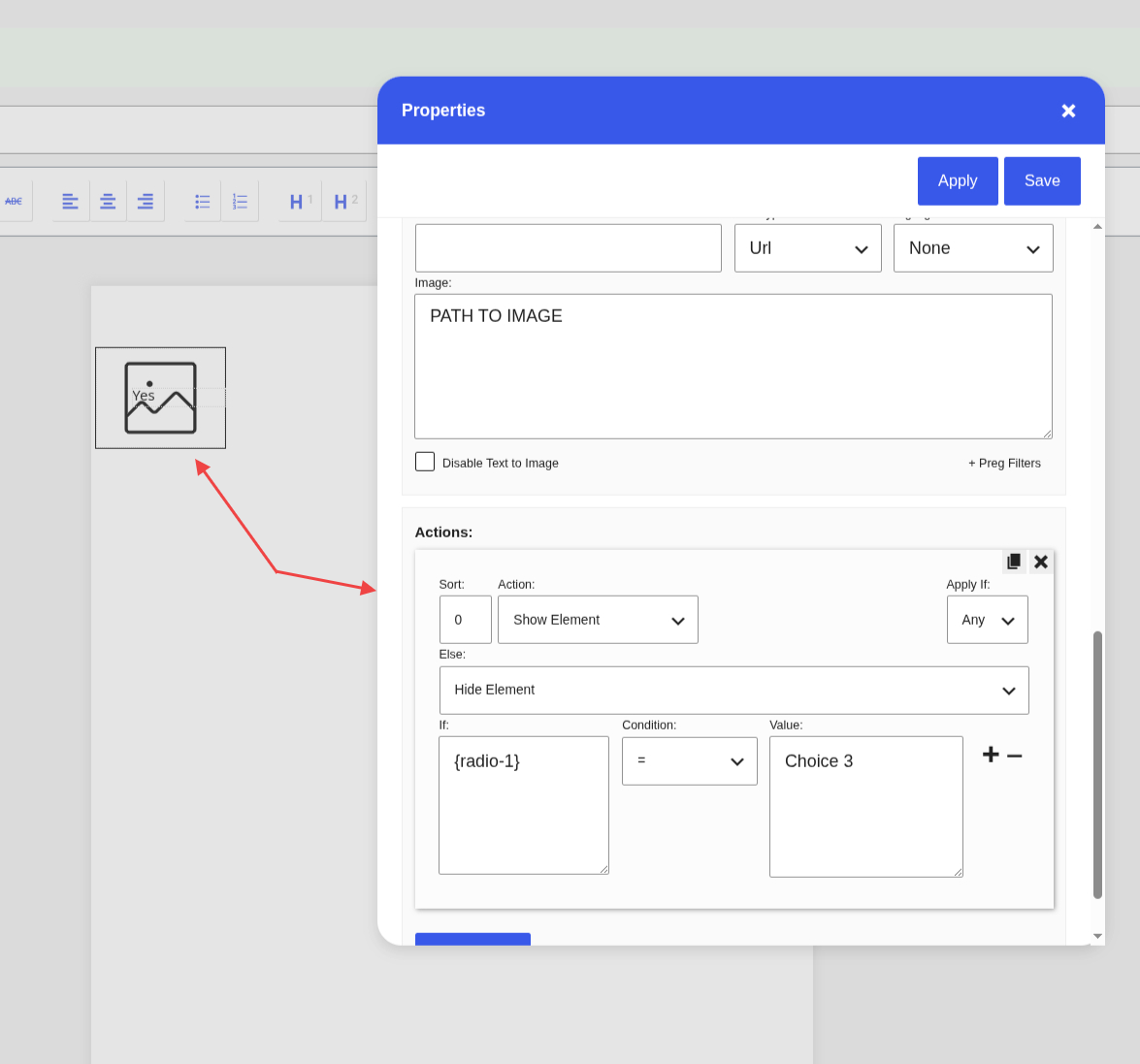
- You can try using a custom image as a background, which will be shown via "Actions" and "Conditions" only when the value is toggled on or off (see Screenshot 1).

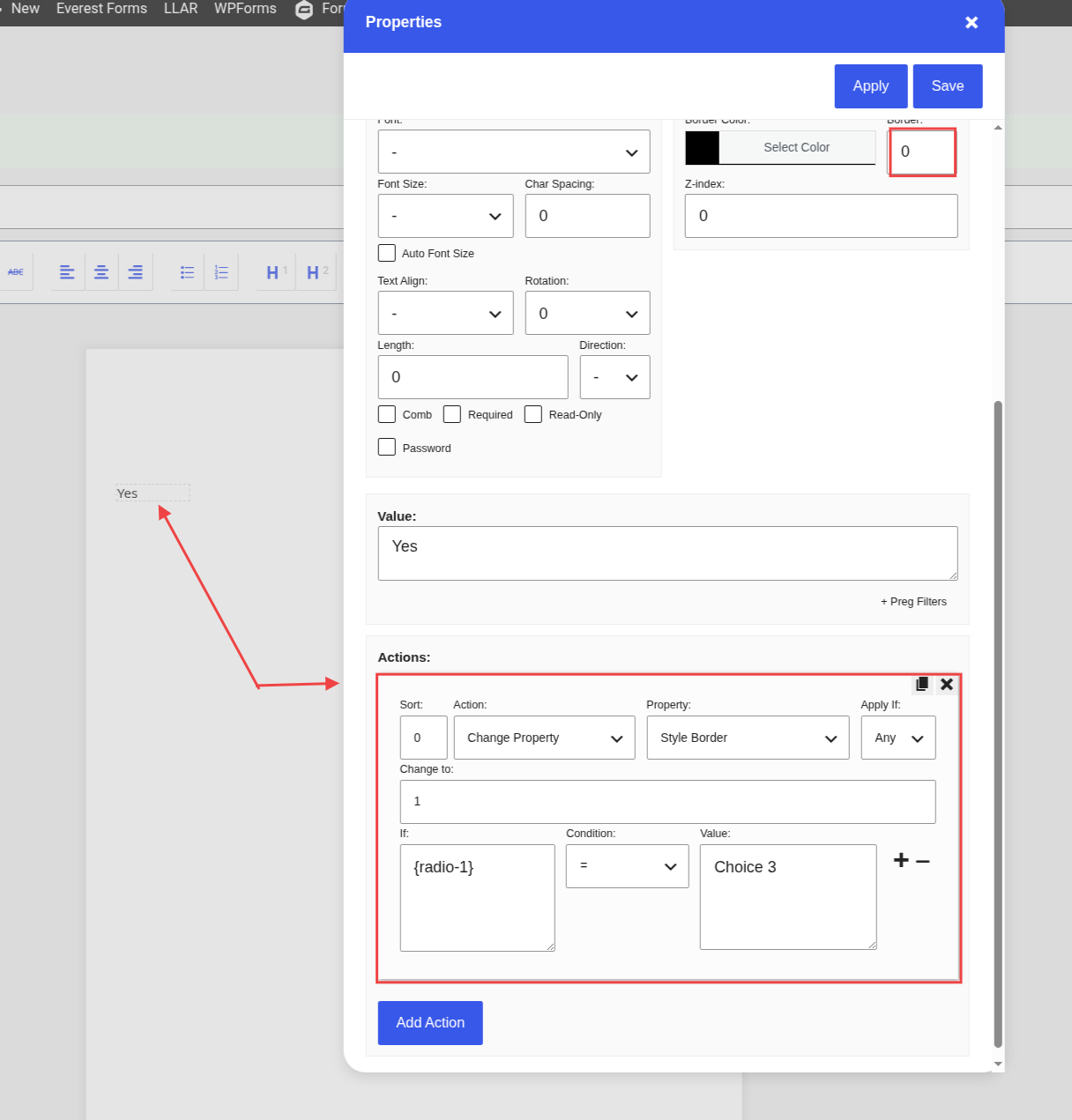
- Alternatively, if a square border fits your use case, you can use "Input" with the border set to "0", and then set the border to "1" via "Actions" and "Conditions" (see Screenshot 2).

We would really appreciate your feedback at WordPress.org!
Get News and Updates
Our monthly newsletter keeps you in the loop, so you'll always be up to date with the latest news and updates about E2Pdf.
* You can update your email subscription preferences here.
All trademarks, service marks, trade names, product names, and logos appearing on this website are the property of their respective owners. The use of trademarks such as Formidable Forms®, Forminator Forms®, Gravity Forms®, JetFormBuilder®, WordPress®, WooCommerce®, WPForms® and others is solely for identification purposes (nominative use) and does not imply any affiliation, sponsorship, or endorsement by the respective trademark holders.
© 2017 - 2026, https://e2pdf.com

We use cookies to collect and analyse information on site performance and usage, to provide social media features and to enhance and customise content and advertisements. By clicking "Accept Selected", you consent to use of selected cookies according to our Cookie Policy.