Problem Description:
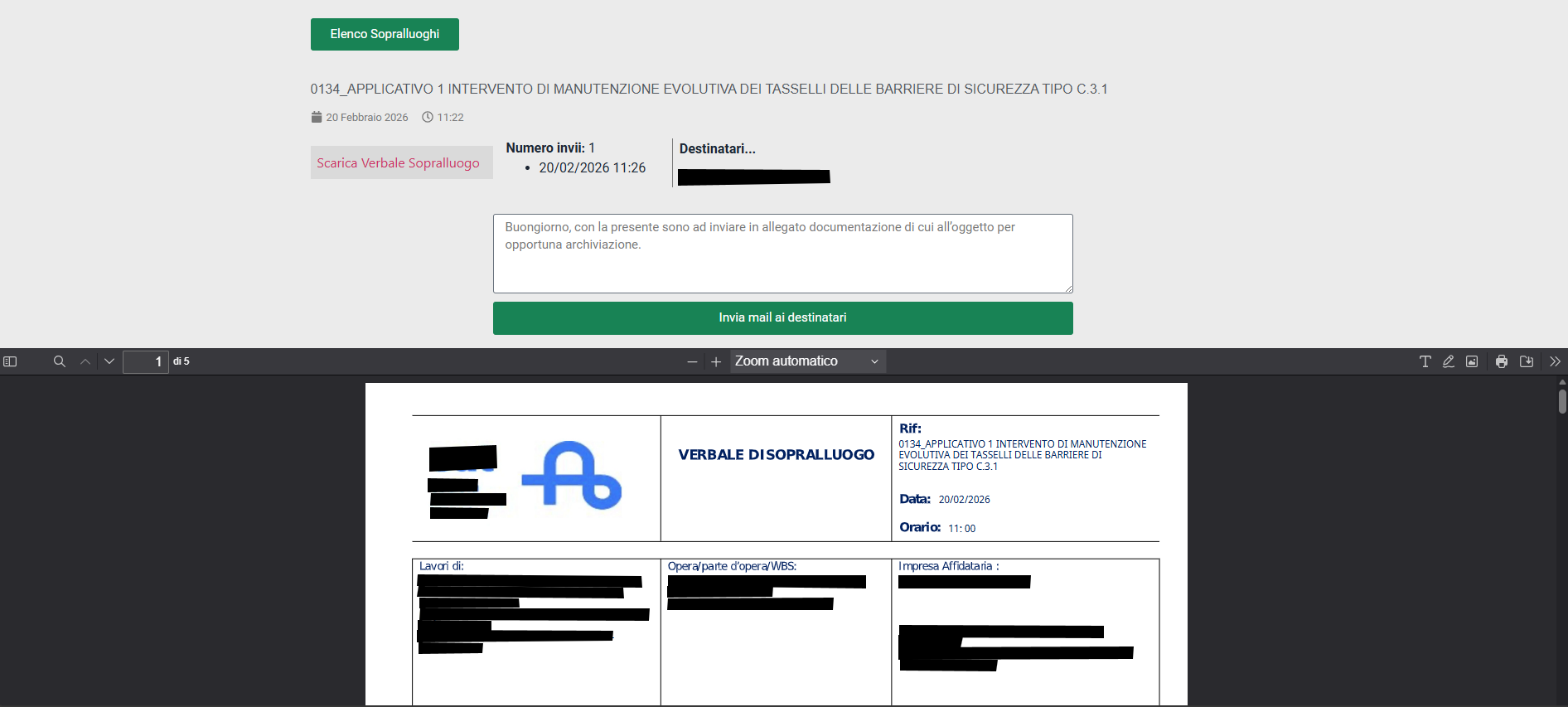
We are using the e2pdf plugin on WordPress with a custom template. We use the data from a WordPress post to fill out the template and generate a PDF, which is then correctly displayed on the front-end page via a shortcode.
However, we are encountering an issue when trying to attach the generated PDF document to the email sent via an Elementor form.
Workflow Details:
PDF Generation: We use the e2pdf shortcode to display a filled PDF on the post page. This works correctly.
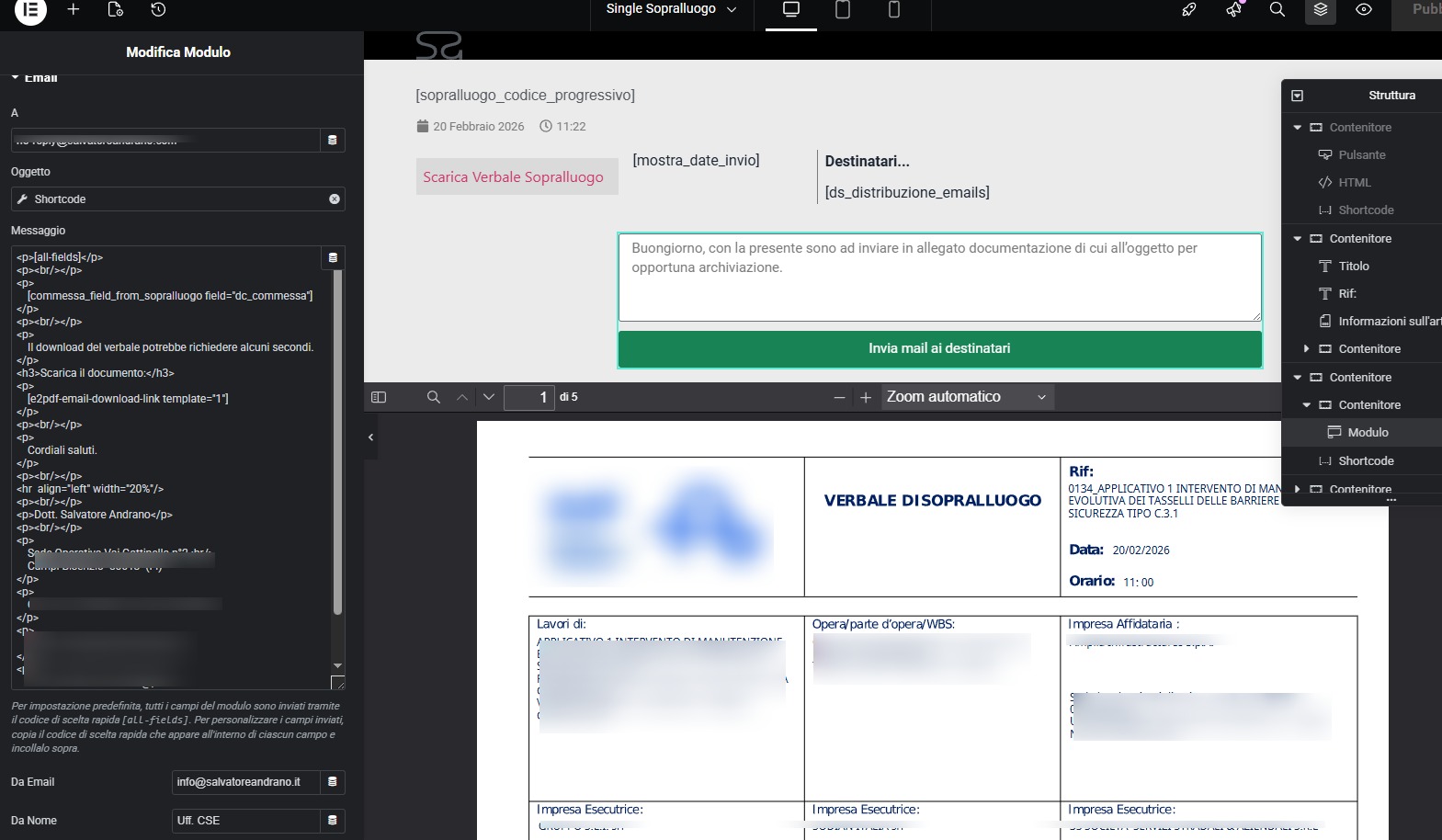
Elementor Contact Form: On the same post page, we have added an Elementor contact form to send an email to the recipients configured in the post.
Issue Encountered: We are unable to attach the generated PDF as an attachment to the email sent from the Elementor form. We tried inserting the e2pdf shortcode in the email body, but it did not work. The attachment is not included. Additionally, we tried implementing custom solutions using scripts in the functions.php file and custom shortcodes, but even these attempts did not resolve the issue.
What We Have Tried:
Inserting the e2pdf shortcode into the email body (without success).
Creating a custom shortcode to generate and attach the PDF.
Modifying the functions.php file to attach the PDF via a PHP script.
The only solution we have found so far is to insert a custom shortcode in the email body to allow the PDF to be downloaded. However, this causes the server to generate the PDF each time a recipient clicks the link. If multiple recipients click the link at the same time, the server becomes overloaded and risks crashing.
Note: We would like to highlight that our PDF is filled with data from a post, and the Elementor form is only used to send the PDF as an attachment.
Request:
We would like to understand how we can properly attach the PDF generated by the e2pdf template to the email sent through the Elementor form. Do you have any suggestions or solutions to properly integrate the PDF as an attachment in the email?
Thank you in advance for your assistance.
Development Environment:
WordPress version: [6.9]
e2pdf version: [1.28.14]
Elementor version: [3.34.4]