PDF Not Displaying in Editor

Resolved
25 January, 2026 20:33:24
jhamaker
Topics: 2
Messages: 8
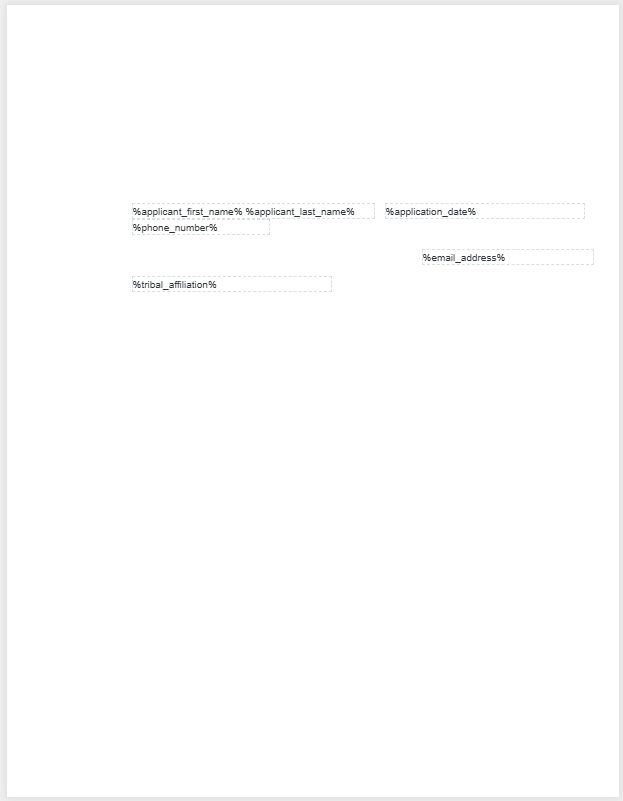
Starting a few days ago I've been seeing a blank page when editing templates. The input boxes with the macros are showing up, but they are on a blank canvas. However, when the connected form is submitted it is generating the PDF properly. The issue started at some point after I added my 10th template, but it was working fine when I initially started working with the template.

This issue is happening on 2 separate Windows 11 computers and it's happening on Chrome, Edge, and Firefox.

I have gone through all the trouble shooting steps I can find like clearing my browser, Optimizing the database, purging the Cache, turning on Debug and checking for errors, Reinitializing Activation Hooks, updating from version 1.31.01 to 1.31.05. I've also tried deactivating the JetFormBuilder PDF plugin just to see if it might be causing a conflict.

I've attached a screenshot showing what the editor canvas looks like.
26 January, 2026 08:08:29
E2Pdf
Support
Topics: 7
Messages: 3596
Hello,

Unfortunately, this is not a common issue.

- Does it occur when you try to create a new E2Pdf template and upload a PDF?

- Does the issue also occur with existing templates where the background was previously displayed correctly?

P.S. If you are familiar with the developer console, could you please open it and check whether there are any errors when loading the images where the format is: /wp-content/uploads/e2pdf/pdf/2fb44cee5cdc8526195e280b26b6d0e3/images/1.png
We would really appreciate your feedback at WordPress.org!
26 January, 2026 18:15:52
jhamaker
Topics: 2
Messages: 8
It appears to be happening with both new and existing templates. I created a new one to test and it did not load the document on the canvas.

I am not seeing any errors in the Debug section on any of the tabs. However, I can confirm the images are present in the in the folders for each template when I view them in FTP, and the images look normal when downloaded and viewed on my PC. So maybe there is an issue with the template viewer not processing the images.
26 January, 2026 18:44:56
E2Pdf
Support
Topics: 7
Messages: 3596
Unfortunately, it appears that a plugin or a style conflict is overwriting the page background output.

Could you please provide us with access to the WordPress Admin Dashboard so we can log in and investigate the issue directly on your side? If so, we kindly ask you to complete the following form: https://e2pdf.com/support/request

Otherwise, it is necessary to investigate which styles are currently applied to the page in the E2Pdf template using the Google Developer Console, as shown in the attached screenshot
We would really appreciate your feedback at WordPress.org!
26 January, 2026 19:06:17
E2Pdf
Support
Topics: 7
Messages: 3596
It prints everything correctly, but unfortunately we need to review the section with styles applied, as it appears to be overwritten. This is visible on the right side of our screenshot.
We would really appreciate your feedback at WordPress.org!
26 January, 2026 19:12:40
jhamaker
Topics: 2
Messages: 8
I'm wondering if the plugin is being denied permission to access the file.