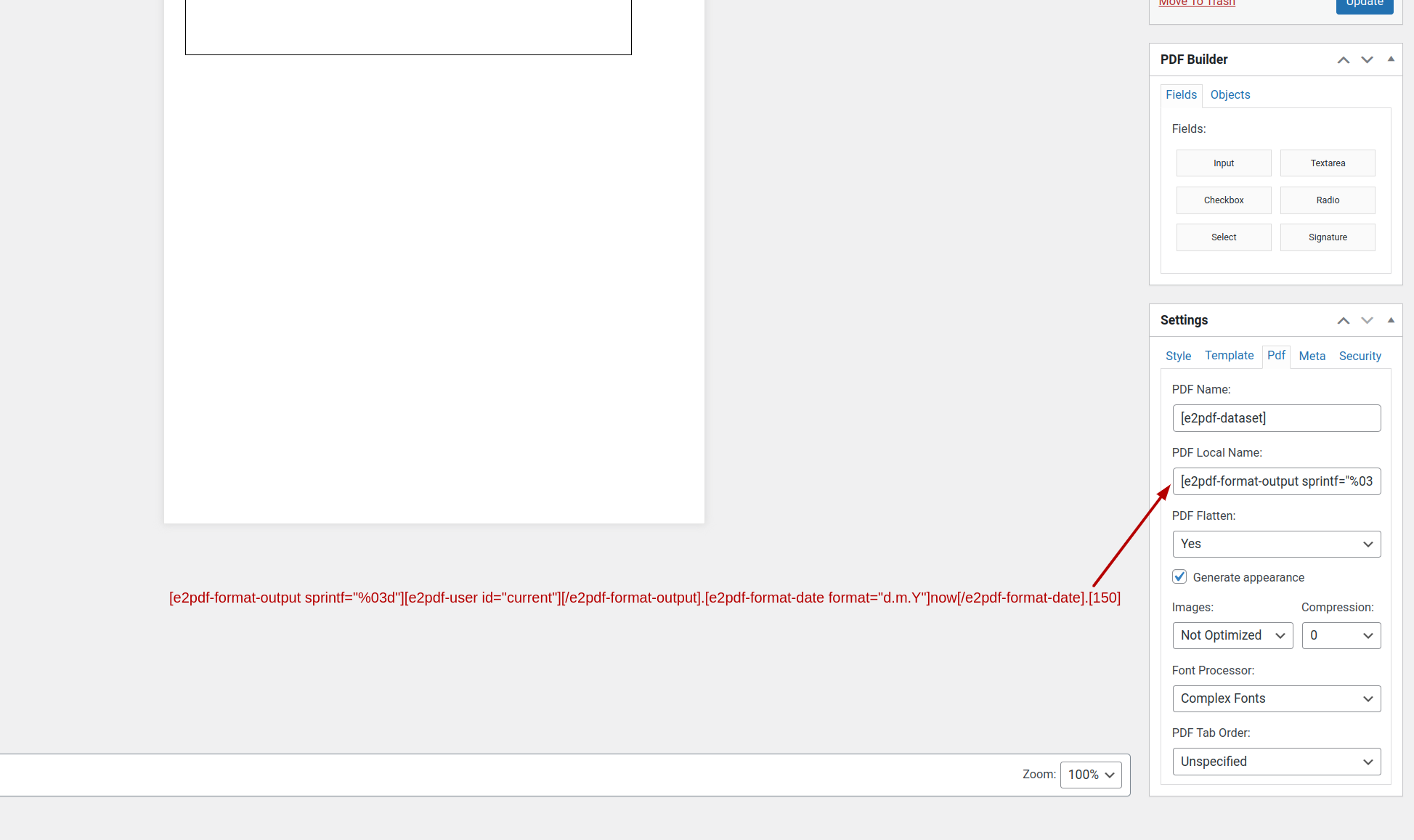
I have a button that once pushed, I need to save into a particular folder, and I'd like the file name to contain a few different metas from the PDF. Ideally, I would like the output of this file to be /public_html/wp-content/uploads/025.05.03.2024.asset.01.pdf
Where 025 would be the current logged in Wordpress wp-users user number(from our wordpress database), date, asset name from page two of our fomidable form (ID 150 and/or Field Key w9br), 1st (2ed, 3ed. 4th, etc) edition and stored in a specific location. With this data I want to populate the users profile by their wp-user number.
I have played around with e2pdf-save, e2pdf-user, but I am having trouble wrapping my head around the correct shortcode to attach to a button of the confirmation page under the e2pdf-view box. Can someone give me a couple examples of what the correct shortcode would look like? I don't mind editing the php files if I need. Sorry that I am a noobie :)
Thanks so much an advanced for any and all help.
Bryan
May 04, 2024 01:18:19
E2Pdf
Topics: 7
Messages: 3637
Support
Hello,
It would require PHP and JS knowledge. One of the possible solutions:
1. You must create the button to trigger an Ajax call and pass the Entry ID to your main PHP function to generate and save PDF.
* where $entry_id - is the Entry ID passed via JS / Ajax call to PHP
The $pdf variable will contain the path to the generated and saved PDF. At that stage, the PDF will be saved as: wp-content/uploads/025.05.03.2024.asset.pdf
After that, when you have the PDF generated, you need to manipulate that saved PDF to add the index to the end. For example, you can extract the PDF name, count the PDF files that start with the same name, create the required index 01, 02, 03, etc, add it to the end of the name, and rename the current PDF.
Our monthly newsletter keeps you in the loop, so you'll always be up to date with the latest news and updates about E2Pdf.
All trademarks, service marks, trade names, product names, and logos appearing on this website are the property of their respective owners. The use of trademarks such as Formidable Forms®, Forminator Forms®, Gravity Forms®, JetFormBuilder®, WordPress®, WooCommerce®, WPForms® and others is solely for identification purposes (nominative use) and does not imply any affiliation, sponsorship, or endorsement by the respective trademark holders.
We use cookies to collect and analyse information on site performance and usage, to provide social media features and to enhance and customise content and advertisements.
By clicking "Accept Selected", you consent to use of selected cookies according to our
Cookie Policy.