How to send pdf attachment of a post_ID (dataset) with notification of Gravity Forms

Gravity Forms
September 14, 2021 08:55:42
Topics: 4
Messages: 12
Hi, I would like to send a pdf based on a post as an attachment with a gravity forms notification. In this example the gravity form is on page X with ID 410. It doesnt work and I get the feeling that i'm doing something wrong here but I don't know what! can you help me out?

So I want template 1 of dataset 410 as an attachement to my form. How is this possible?

This is written in my notification:

"{all_fields}
pdf: [e2pdf-attachment id="1" dataset="410"]
link: [e2pdf-download id="1" dataset="410"]"
September 14, 2021 09:26:33
E2Pdf
Topics: 7
Messages: 3617
Support
Hi,

If you need to generate PDF for page and attach it inside Gravity Forms mail, E2Pdf Template must be connected to:

Extension: WordPress
Item: Page/Post/Custom Post Type (Depending which is the Post Type is for page with ID 410).

The correct shortcodes to use inside notification:

[e2pdf-attachment id="1" dataset="410"]
[e2pdf-download id="1" dataset="410"]

We remain at your service.

We would really appreciate your feedback at WordPress.org!
September 14, 2021 10:10:33
Topics: 4
Messages: 12
Hi, thank you for the fast reply!
Yes that is exactly what I want. The settings you suggest we’re already in place :(

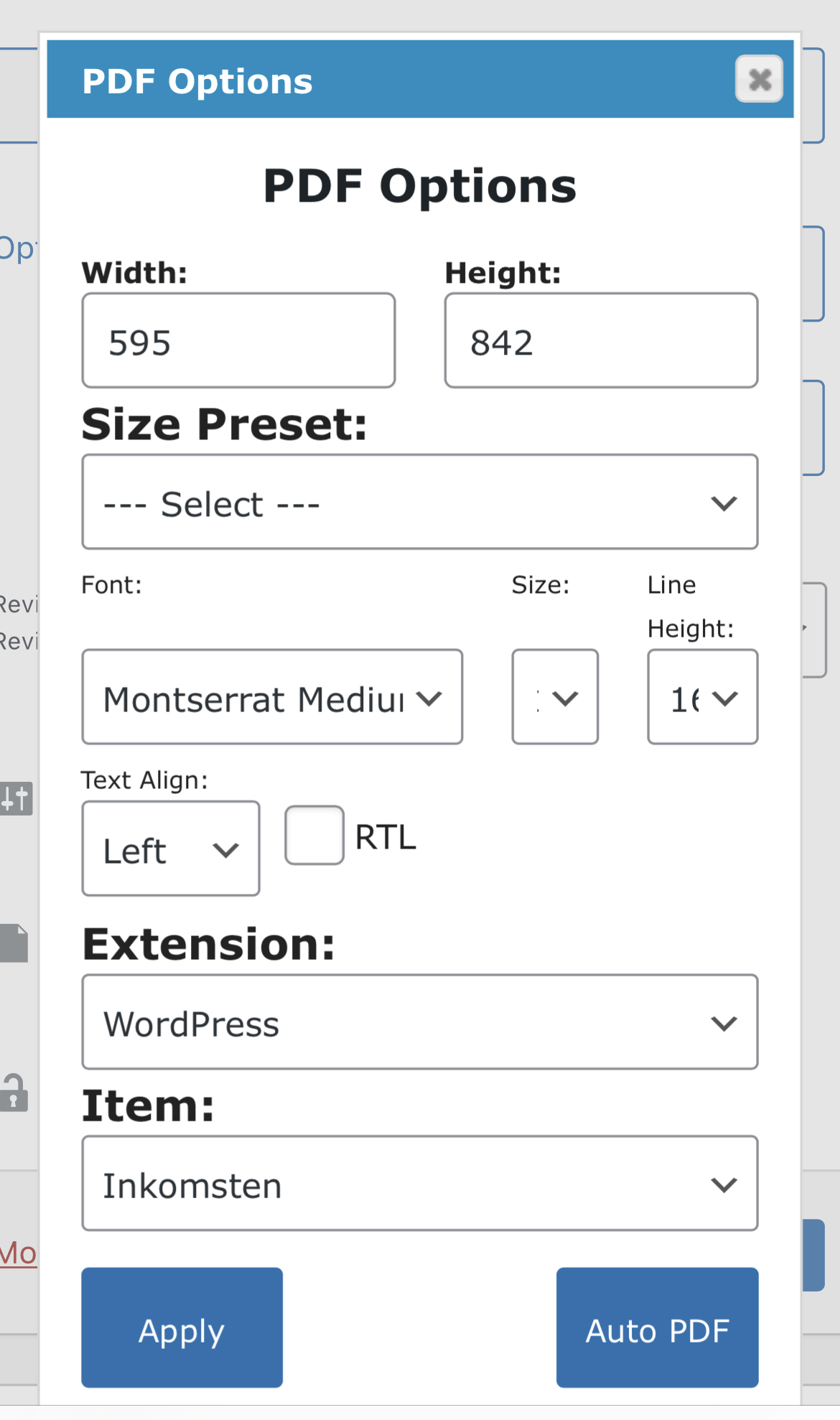
These are the settings I have now which do not work:

(“Inkomsten” is a custom post type”)

Kind regards,

Daan
September 14, 2021 11:01:26
E2Pdf
Topics: 7
Messages: 3617
Support
As we understand shortcodes completely truncated from notification and no download link or pdf attachment inside notification?

Can you check please if you are able to export data exactly for this post from "E2Pdf" -> "Export"? Will the post with 410 ID appear under "Select Dataset to Export"?

- If not, then it looks like the post type selected under "Item" is not correct.

- If yes, can you please attach screenshot of notification message source. You can mark message "Private" so only we can see screenshot.

We would really appreciate your feedback at WordPress.org!
September 14, 2021 12:09:25
Topics: 4
Messages: 12
I just found out that it is template ID 3 instead of 1… haha oops… sorry!

My bad!!
Get News and Updates
Our monthly newsletter keeps you in the loop, so you'll always be up to date with the latest news and updates about E2Pdf.
* You can update your email subscription preferences here.
All trademarks, service marks, trade names, product names, and logos appearing on this website are the property of their respective owners. The use of trademarks such as Formidable Forms®, Forminator Forms®, Gravity Forms®, JetFormBuilder®, WordPress®, WooCommerce®, WPForms® and others is solely for identification purposes (nominative use) and does not imply any affiliation, sponsorship, or endorsement by the respective trademark holders.
© 2017 - 2026, https://e2pdf.com

We use cookies to collect and analyse information on site performance and usage, to provide social media features and to enhance and customise content and advertisements. By clicking "Accept Selected", you consent to use of selected cookies according to our Cookie Policy.