I have trouble displaying the content of an ACF Repeater field correctly.
I've looked through your how-to forum, I've tried various things based on what I've read (see pictures), but the repeater field still doesn't display. Instead, I see the number of entries in this repeater for this particular dataset (3).
* Be sure that you are using the correct field names.
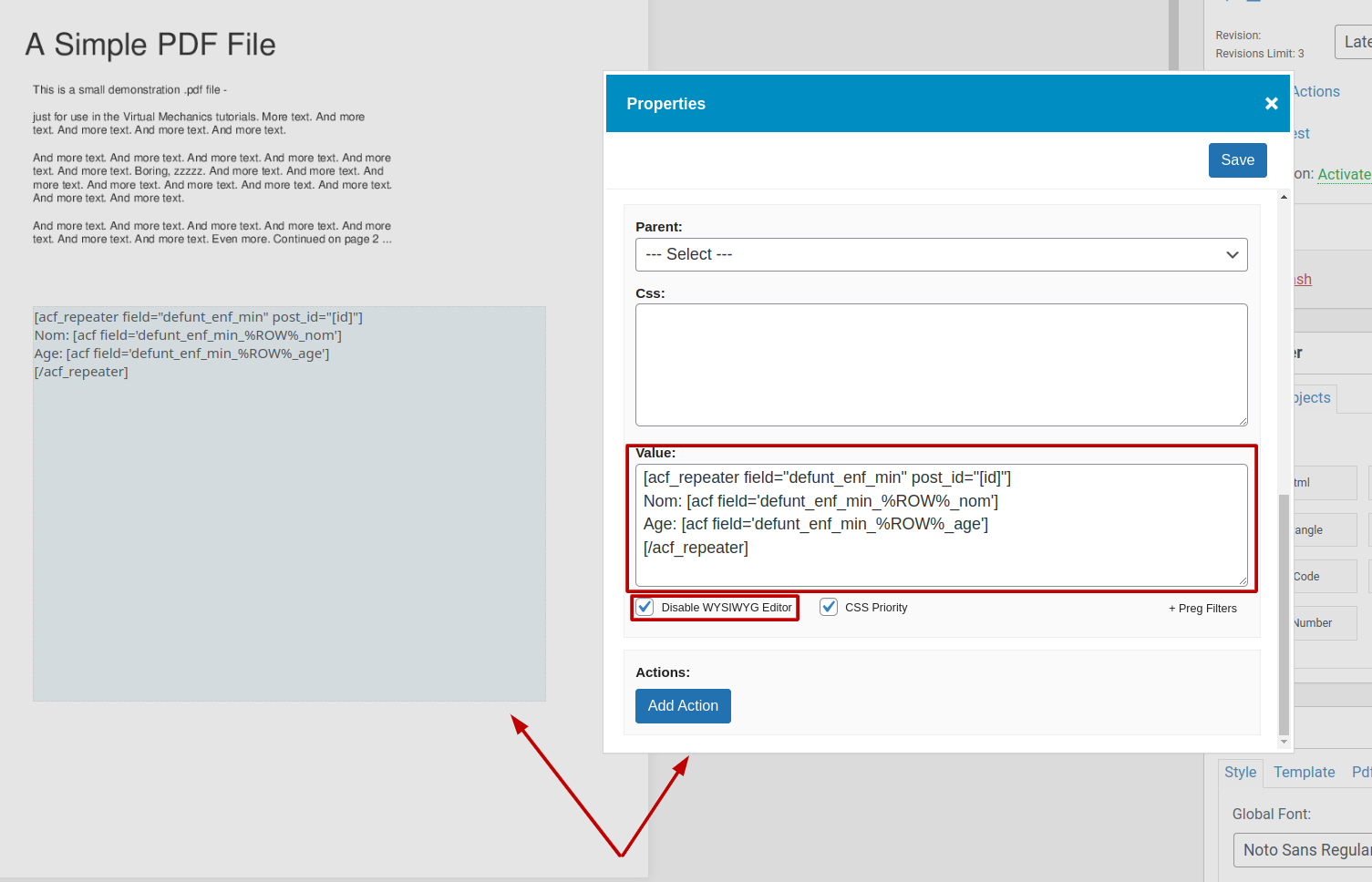
** If you are using an "HTML" object, it's also recommended to set "Disable WYSIWYG Editor" and put the shortcodes directly to the "Value" via "Right Mouse Click" -> "Properties". See please screenshot attached.
If you will not succeed, let us know please, do you get any output from the shortcode:
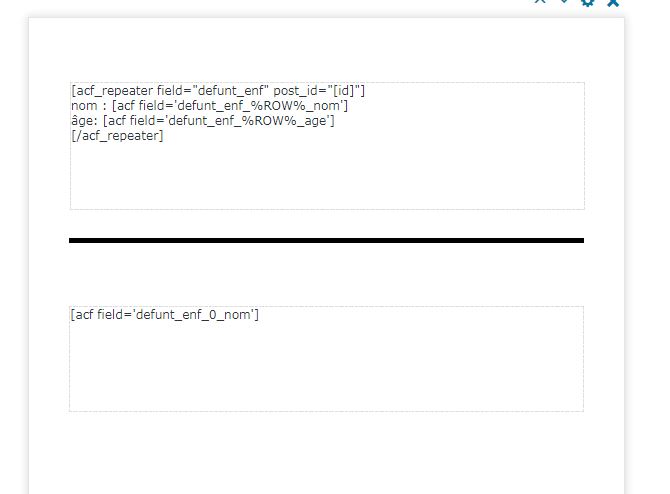
[acf field='defunt_enf_min_0_nom']
If not, attach please some screenshots with your ACF Fields setup.
We remain at your service.
6 April, 2023 07:20:42
Gderon
Topics: 4
Messages: 20
Hello again,
I have placed the PHP snippet,
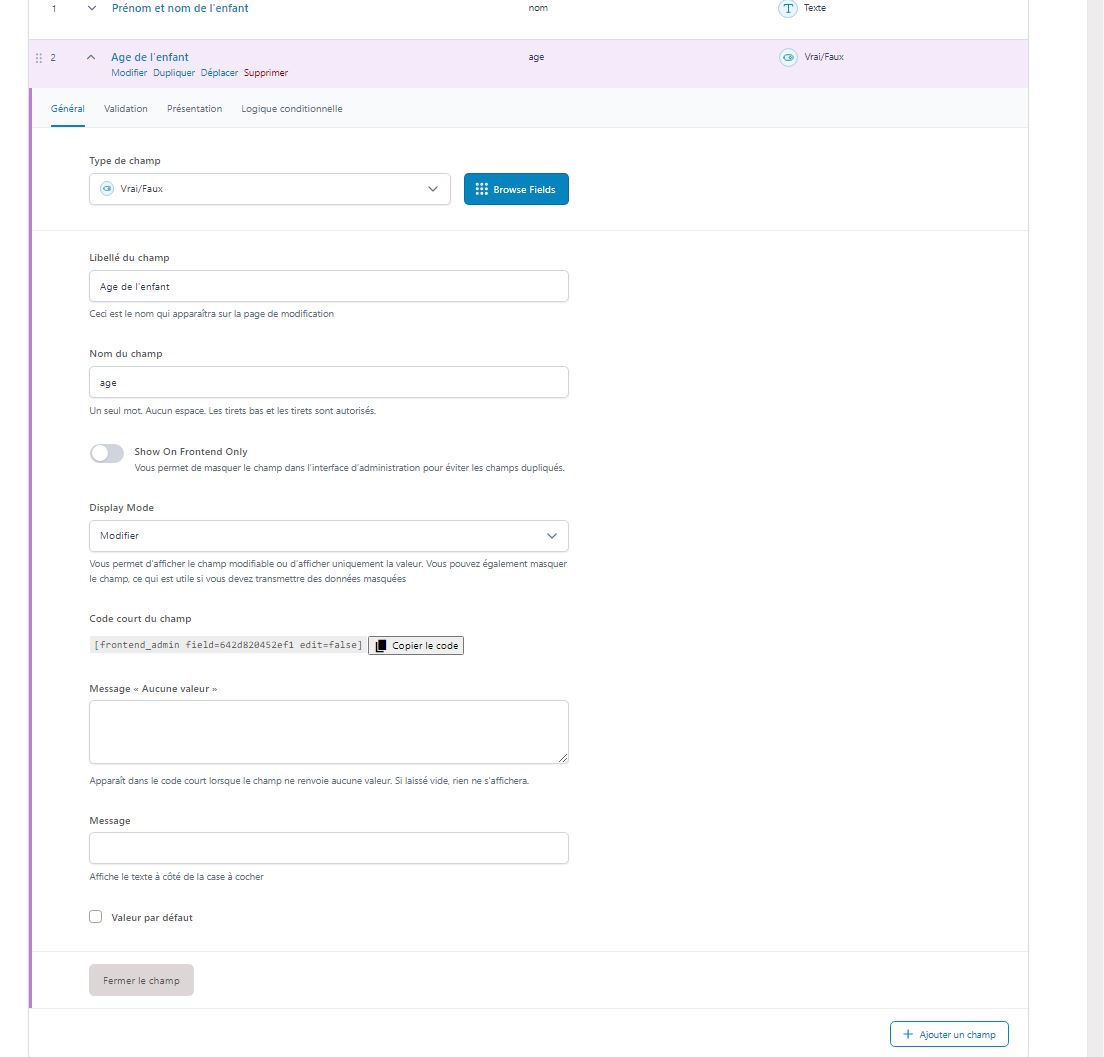
I simplified the names of the ACF fields
I placed and adapted the shortcode, but still nothing on the PDF.
I tried the simple shortcode, no result.
6 April, 2023 07:27:48
Gderon
Topics: 4
Messages: 20
I am very sorry for the duplicated answers....
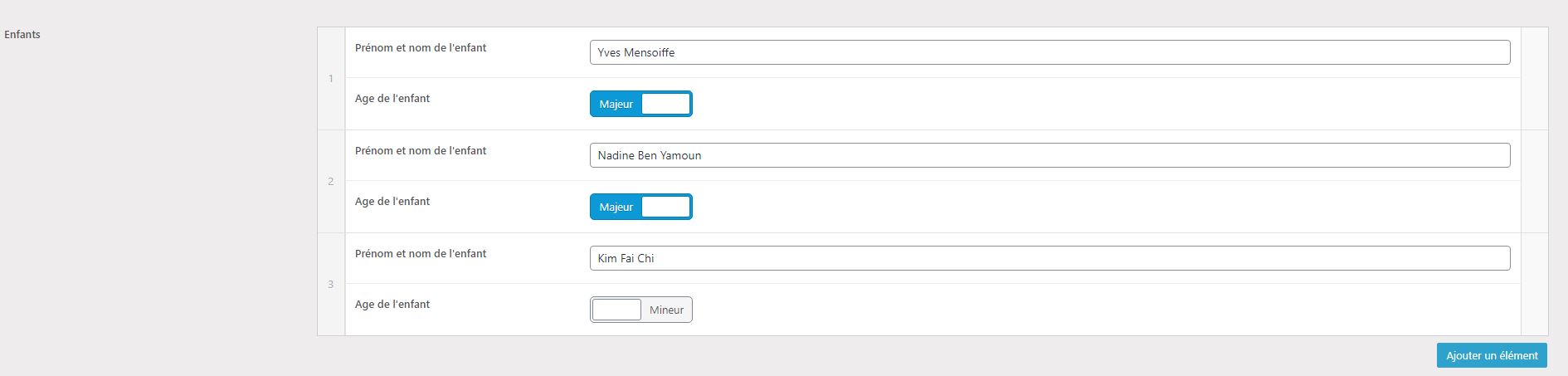
I add a picture of the dataset.
6 April, 2023 08:45:00
E2Pdf
Support
Topics: 7
Messages: 3574
Sorry, it looks like our mistake, we missed the part of the shortcode in the iteration, it must be added post_id="[id]" attribute.
Nom: [acf field="defunt_enf_min_0_nom" post_id="[id]"]
or
Nom: [acf field="defunt_enf_0_nom" post_id="[id]"]
It must work, but if it still will not work and it's acceptable for you, you can submit a support ticket with access details to WP Admin Dashboard so we can log in and do some additional tests: https://e2pdf.com/support/request
6 April, 2023 09:01:38
Gderon
Topics: 4
Messages: 20
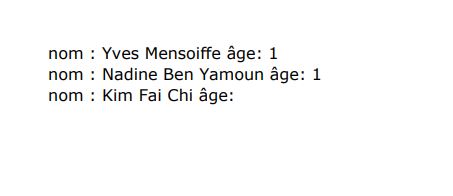
It works! Or almost...
There is still a problem that I encounter outside the Repeater field.
I have the value of my first ACF field (which is text),
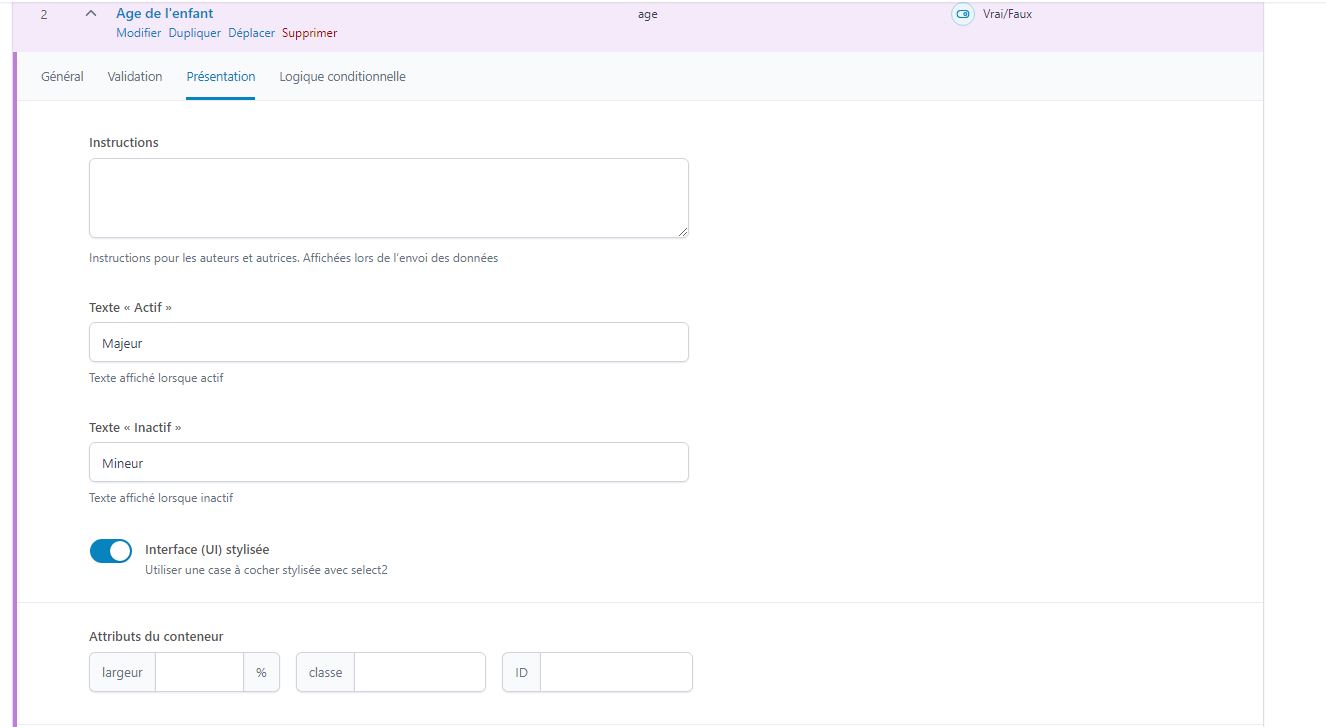
but the second field is a yes/no with a stylized presentation (see picture). (and I use several of them in my forms)
In ACF, the active value is 'Major', the inactive value is 'Minor'.
In the dataset, 2 entries are Major, one is Minor.
On the PDF, the 2 major entries display 1 and the minor entry displays nothing.
I feel that the problem is mine, but I have searched and searched on your site without succeeding in displaying correctly the values selected in the forms.
Thanks for continuing to help me.
6 April, 2023 10:54:34
E2Pdf
Support
Topics: 7
Messages: 3574
It's because ACF shortcode outputs "1" when the "True / False" field is "checked" and nothing when not. Currently, we didn't find any solution except adding a separate shortcode to modify its output. It seems there is no way to output "UI ON/OFF Text" with default shortcode additional attributes.
After adding to theme functions.php or as a PHP snippet, you must be able to replace the shortcode on the "age" field as below from "acf" to "acf-toggle" to output UI Text:
I added the PHP snippet, I modified the code in the template as you told me.
But the PDF doesn't show the value of the ACF yes/no field.
7 April, 2023 03:00:23
E2Pdf
Support
Topics: 7
Messages: 3574
Hi,
Can you please attach also a screenshot of the PHP snippet?
7 April, 2023 03:05:29
Gderon
Topics: 4
Messages: 20
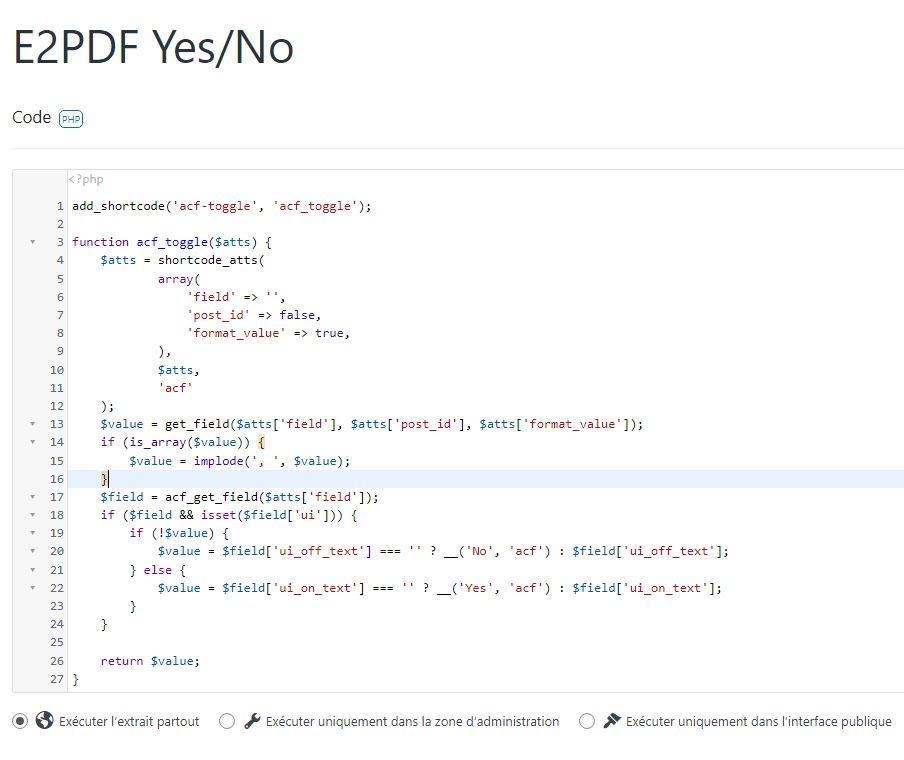
Sure.
7 April, 2023 04:01:39
E2Pdf
Support
Topics: 7
Messages: 3574
Everything seems okay. Unfortunately, we need to debug the code. You need to submit a support ticket so we can log in and do additional checks: https://e2pdf.com/support/request
We use cookies to collect and analyse information on site performance and usage, to provide social media features and to enhance and customise content and advertisements. By clicking "Accept Selected", you consent to use of selected cookies according our to our Cookie Policy.