Hide unique HTML field from PDF output Formidable Forms

Formidable Forms
November 14, 2024 23:33:38
GeekDimm
Topics: 4
Messages: 10
Hi

I am using Formidable Forms, which has HTML fields set to display in the form with conditional logic by selecting a Yes|No Radio button. When the Yes button is selected the HTML field is hidden in the form but still displays in the outputted PDF. How do I hide this HTML field?

Many Thanks
November 14, 2024 23:49:03
E2Pdf
Topics: 7
Messages: 3617
Support
Hello,

The E2Pdf actions and conditionals should be used to hide required fields: https://e2pdf.com/docs/actions/element

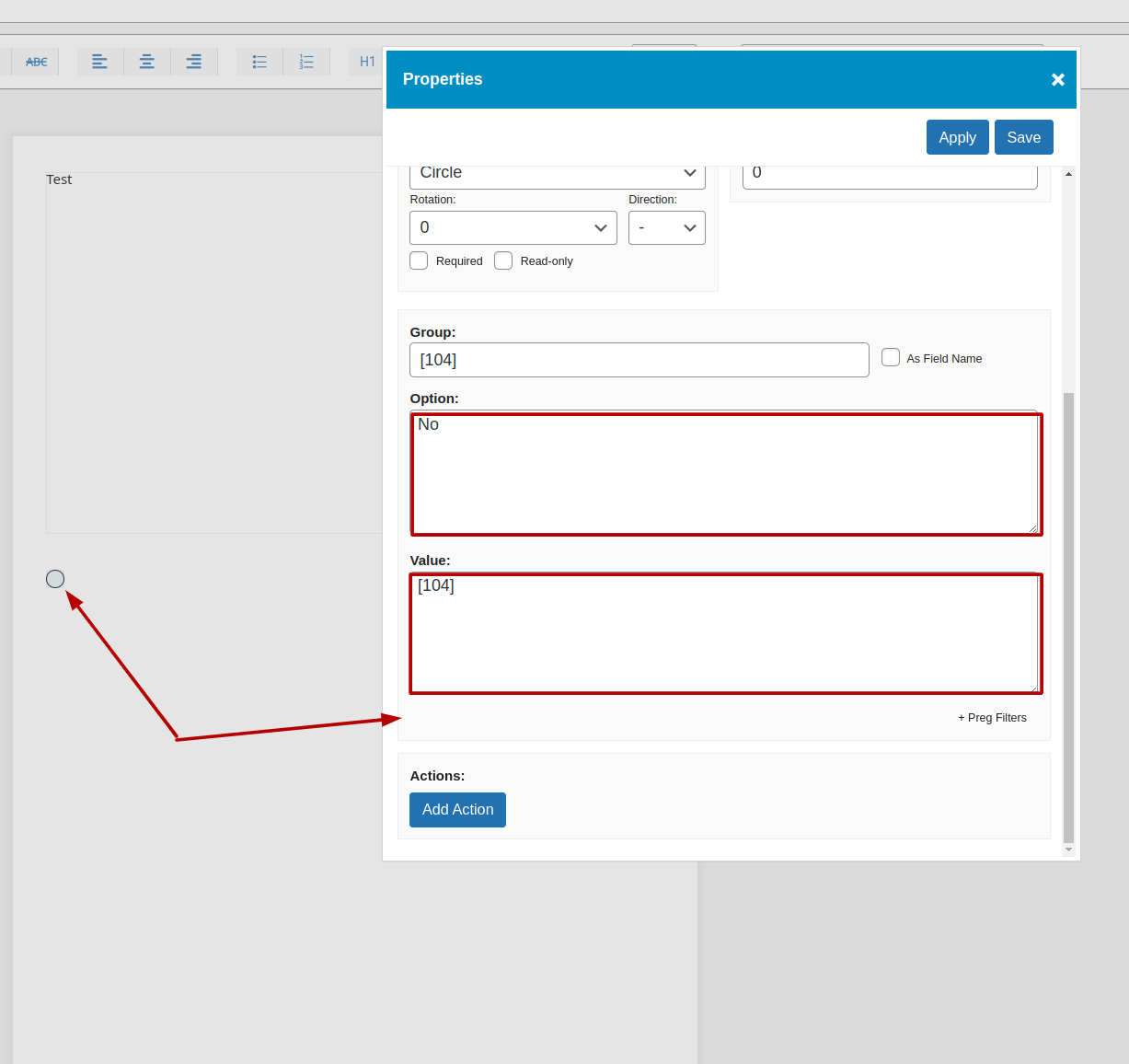
Example: An object would be hidden if [104] is rendered as "No," where [104] is the Formidable Forms Fields shortcode. (Screenshot 1)

To ensure that you are using the correct option, you can create a temporary textarea with the mapped field as [104] and check the rendered output, or review the value saved in the mapped "radio" field in the E2Pdf Template. (Screenshot 2)

We would really appreciate your feedback at WordPress.org!
Get News and Updates
Our monthly newsletter keeps you in the loop, so you'll always be up to date with the latest news and updates about E2Pdf.
* You can update your email subscription preferences here.
All trademarks, service marks, trade names, product names, and logos appearing on this website are the property of their respective owners. The use of trademarks such as Formidable Forms®, Forminator Forms®, Gravity Forms®, JetFormBuilder®, WordPress®, WooCommerce®, WPForms® and others is solely for identification purposes (nominative use) and does not imply any affiliation, sponsorship, or endorsement by the respective trademark holders.
© 2017 - 2026, https://e2pdf.com

We use cookies to collect and analyse information on site performance and usage, to provide social media features and to enhance and customise content and advertisements. By clicking "Accept Selected", you consent to use of selected cookies according to our Cookie Policy.