
General
Usage
Global Shortcodes #
Helper Shortcodes #
Logic Shortcodes #
Extensions #
- Caldera Forms
- Contact Form 7
- Divi Contact Forms
- Elementor Forms
- Everest Forms
- Fluent Forms
- Formidable Forms
- Forminator Forms
- Gravity Forms
- JetFormBuilder
- MetForm
- Ninja Forms
-
WooCommerce
- WordPress
- WPForms
Templates #
Elements #
PDF Builder Elements #
- Input
- Textarea
- Checkbox
- Radio
- Select
- Signature
-
Html
- Image
- Rectangle
- Link
- QR Code
- Barcode
- Graph
- Page Number
Actions & Conditions #
Barcode
Barcode - is a barcode object.
- See how to Map / Set Value to the element.
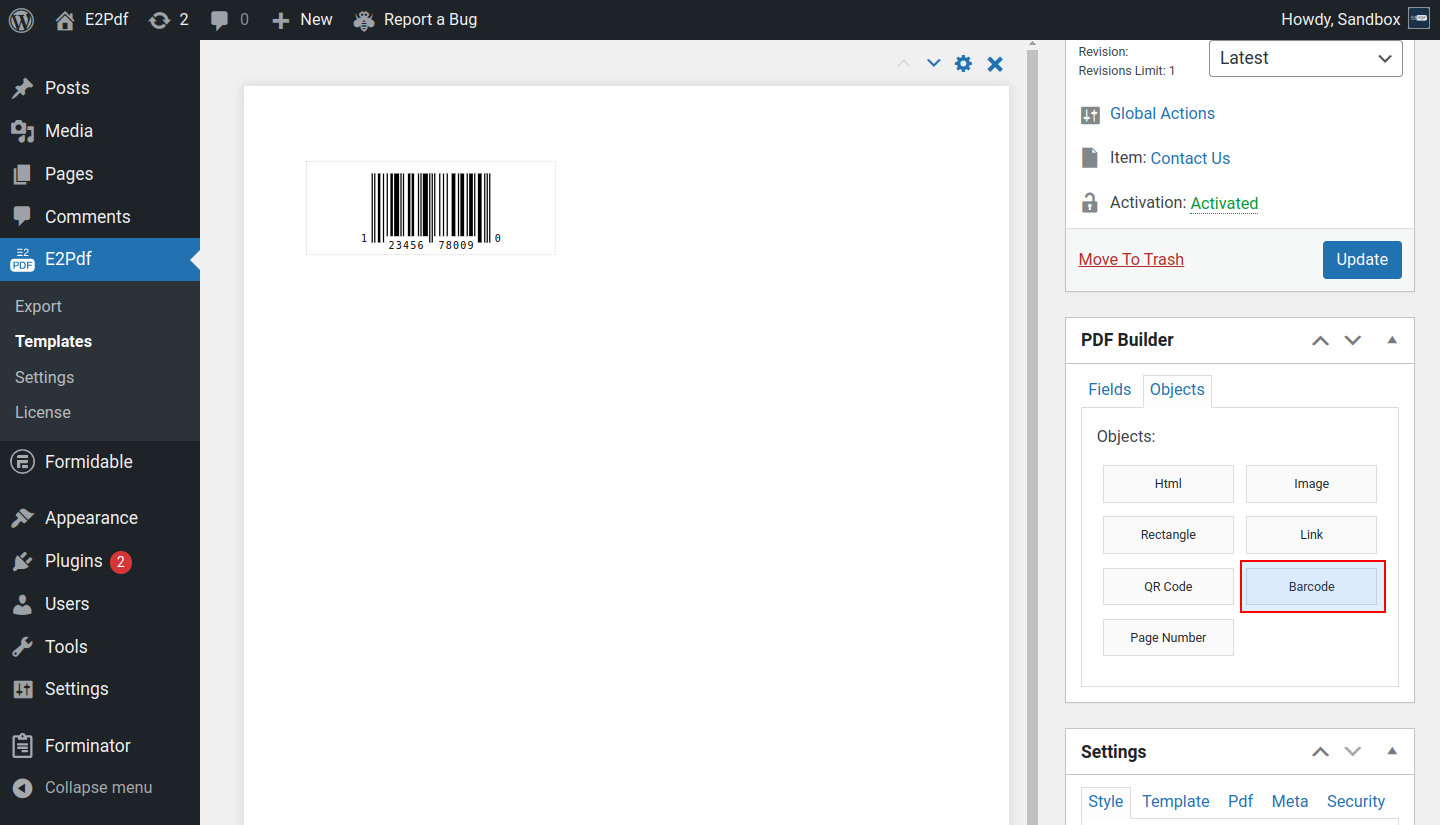
Properties #
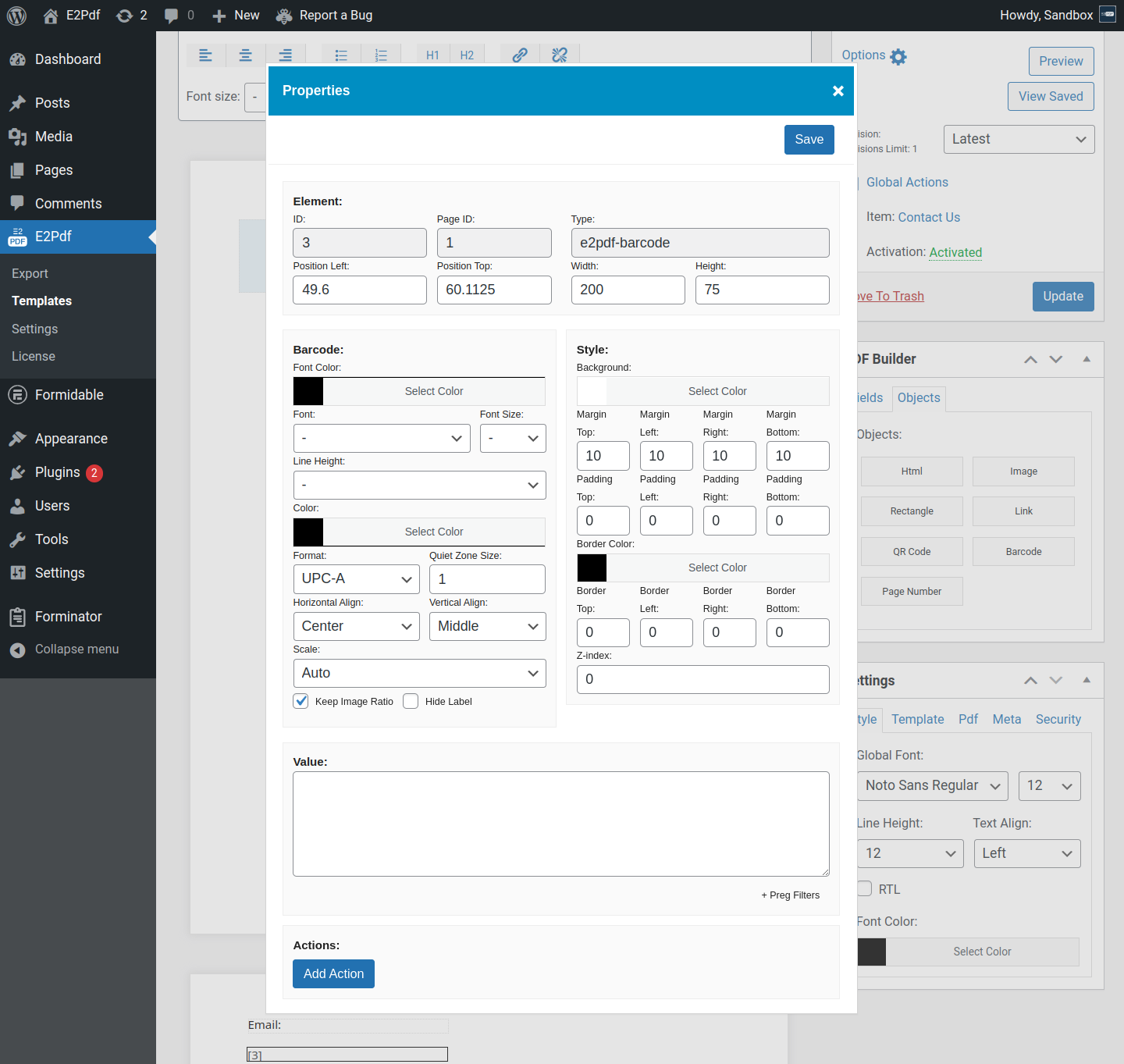
Element #
- ID - is the element id.
- Page ID - is the element page id.
- Type - is the element type.
- Position Left - is the left position of the element.
- Position Top - is the top position of the element.
- Width - is the width of the element.
- Height - is the height of the element.
Field #
- Font Color - is the color of the barcode label text.
- Font - is the font of the barcode label text.
- Font Size - is the font size of the barcode label text.
- Line Height - is the line height of the barcode label text. If not set, global E2Pdf Template line height will be used.
- Color - is the barcode color.
- Format - is the barcode format.
- Quit Zone Size - is the blank margin on the either side of a barcode. Can affect the barcode size.
- Horizontal Align - is the horizontal alignment of the barcode.
- Vertical Align - is the vertical alignment of the barcode.
- Scale - is the barcode scale format.
- Keep Image Ratio - keeps the barcode ratio.
- Hide Label - hides the barcode label.
Style #
- Background - is the background of the barcode.
- Marging - is the inner margin of the barcode.
- Padding - is the inner padding of the barcode.
- Border Color - is the border color of the barcode.
- Border - is the border width of the barcode.
- Z-index - is the barcode render priority. Can be set to a negative value.
Value #
- Value - is the barcode value.
Actions #
- Add Action - is a add actions and conditional logic to the barcode to show, hide and change properties. See how to use: Read More ››


