
General
Usage
Global Shortcodes #
Helper Shortcodes #
Logic Shortcodes #
Extensions #
- Caldera Forms
- Contact Form 7
- Divi Contact Forms
- Elementor Forms
- Everest Forms
- Fluent Forms
- Formidable Forms
- Forminator Forms
- Gravity Forms
- JetFormBuilder
- MetForm
- Ninja Forms
-
WooCommerce
- WordPress
- WPForms
Templates #
Elements #
PDF Builder Elements #
- Input
- Textarea
- Checkbox
- Radio
- Select
- Signature
-
Html
- Image
- Rectangle
- Link
- QR Code
- Barcode
- Graph
- Page Number
Actions & Conditions #
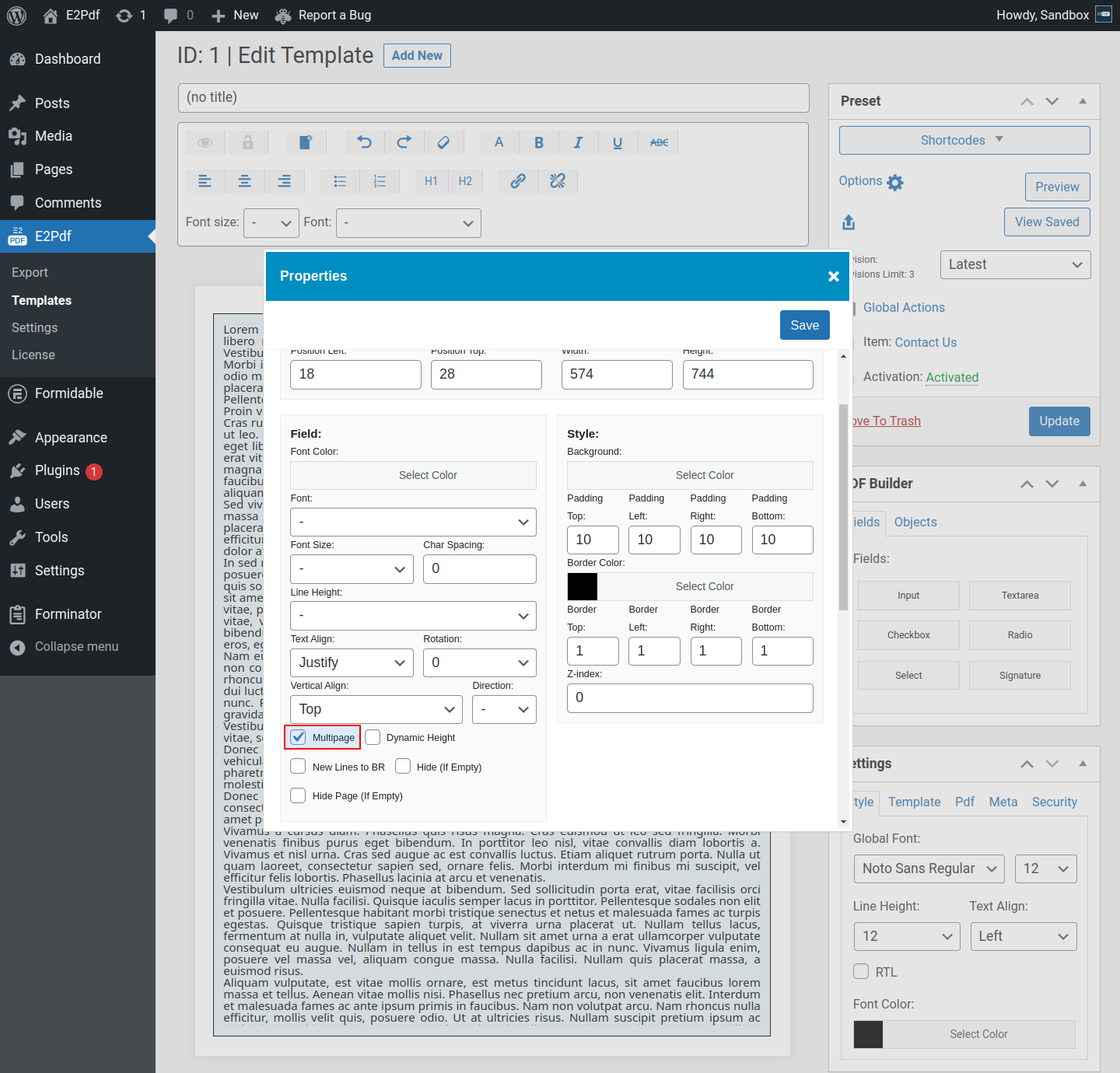
Multipage
Multipage - is the option that sets an HTML object to multipage.
In case content inside the HTML object overflows, it will be created a duplicate page to continue it.
Multipage feature is available only with Paid License Key due to the Free version limitation.
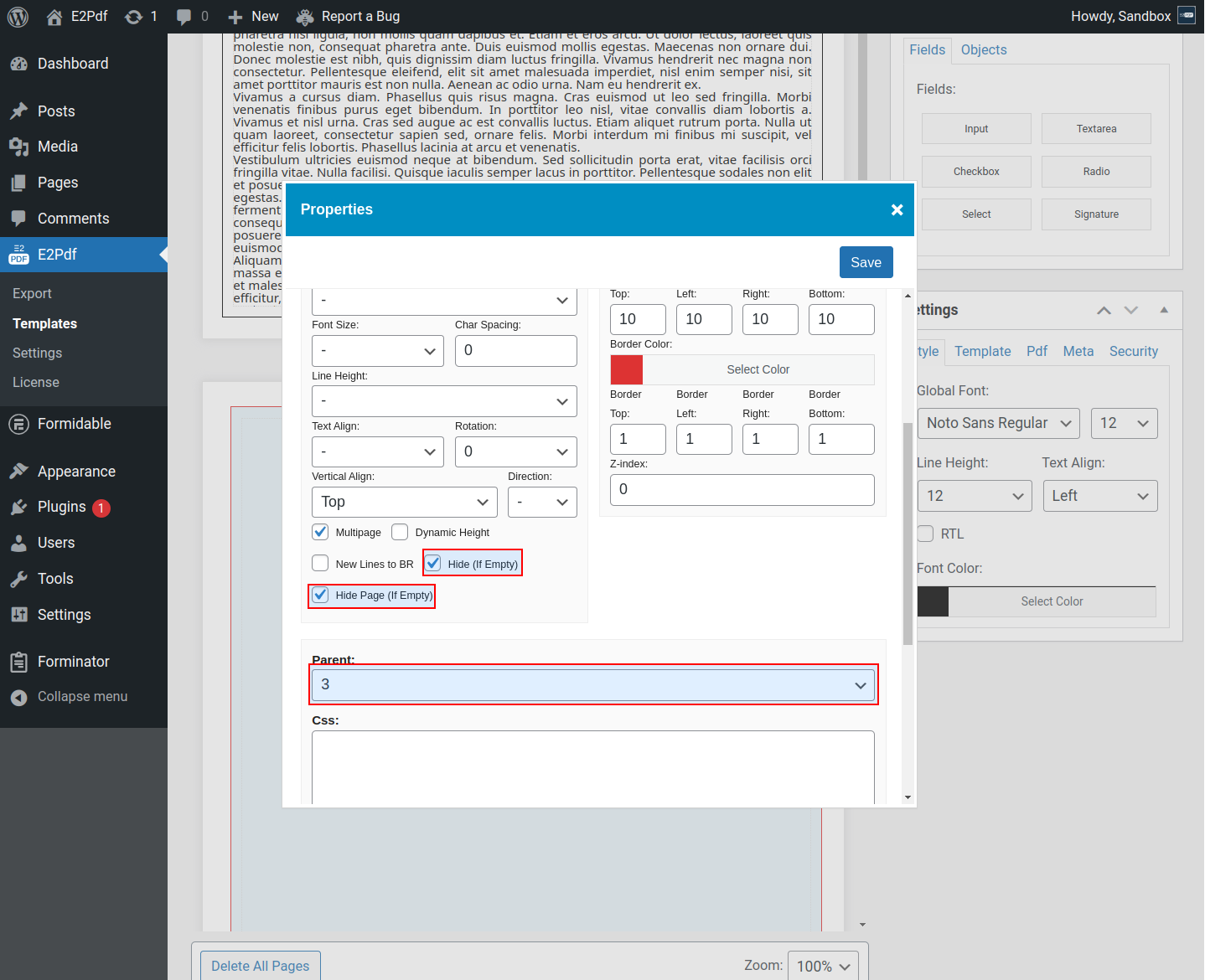
Additional Settings #
- Hide (if Empty) - will hide the HTML object in case it will not have content.
- Hide Page (if Empty) - will hide the Page on which the HTML object is placed in case it will not have content.
- Parent - is the Parent HTML Object ID from which it must be continued content in case it's overflowed. Read More ››
Examples #
Multipage #
- Result: multipage.pdf
Parent / Child + Multipage #
- Result: parent_child_multipage.pdf


