
General
Usage
Global Shortcodes #
- [e2pdf-download]
- [e2pdf-attachment]
- [e2pdf-view]
- [e2pdf-save]
- [e2pdf-zapier]
- [e2pdf-adobesign]
- Access Check
Helper Shortcodes #
Logic Shortcodes #
Extensions #
- Caldera Forms
- Contact Form 7
- Divi Contact Forms
- Elementor Forms
- Everest Forms
- Fluent Forms
- Formidable Forms
- Forminator Forms
- Gravity Forms
- JetFormBuilder
- MetForm
- Ninja Forms
- SureForms
-
WooCommerce
- WordPress
- WPForms
Templates #
Elements #
PDF Builder Elements #
- Input
- Textarea
- Checkbox
- Radio
- Select
- Signature
-
Html
- Image
- Rectangle
- Link
- QR Code
- Barcode
- Graph
- Page Number
Actions & Conditions #
Input
Input - is a one-line text field.
- See how to Map / Set Value to the element.
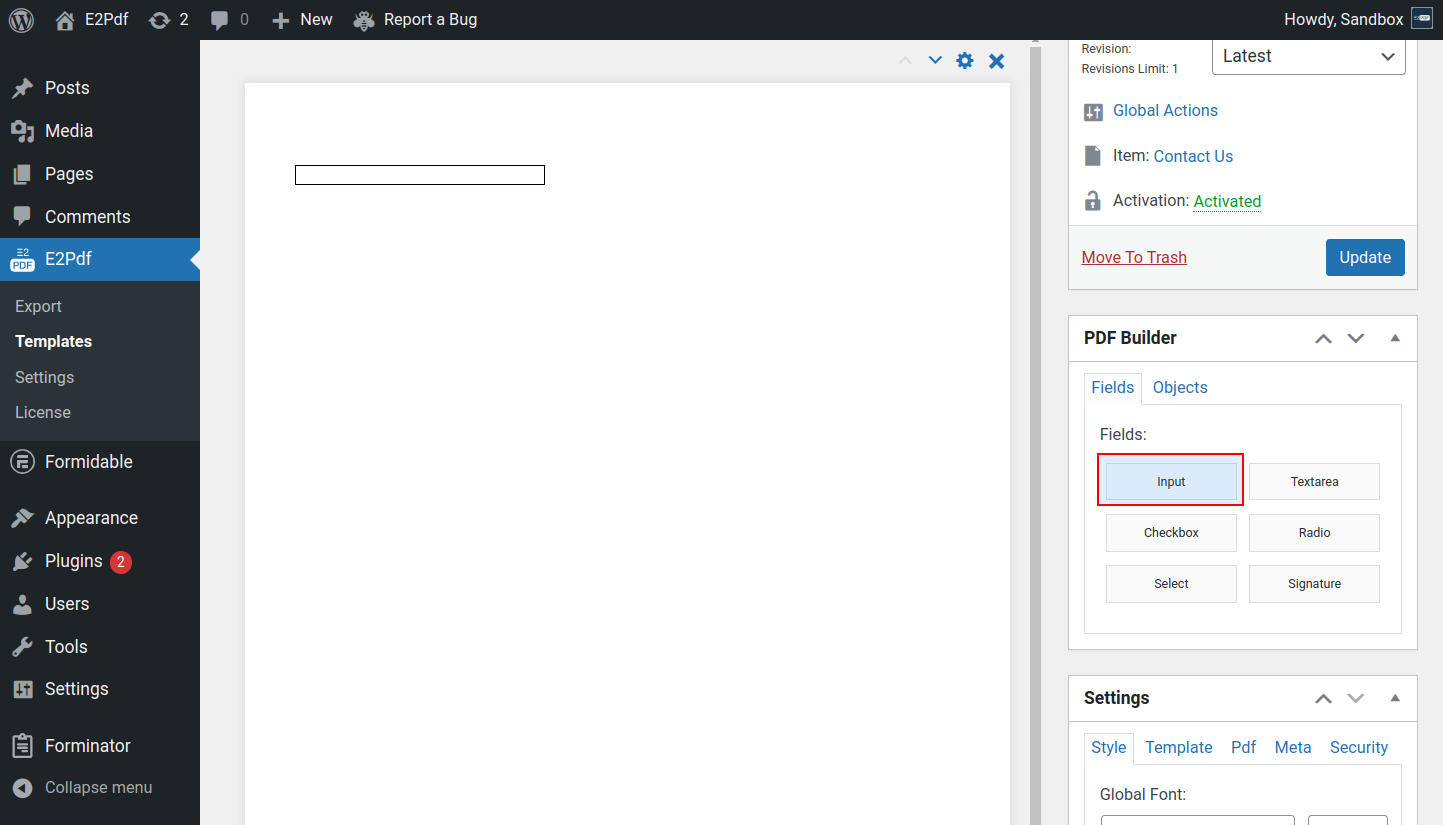
Properties #
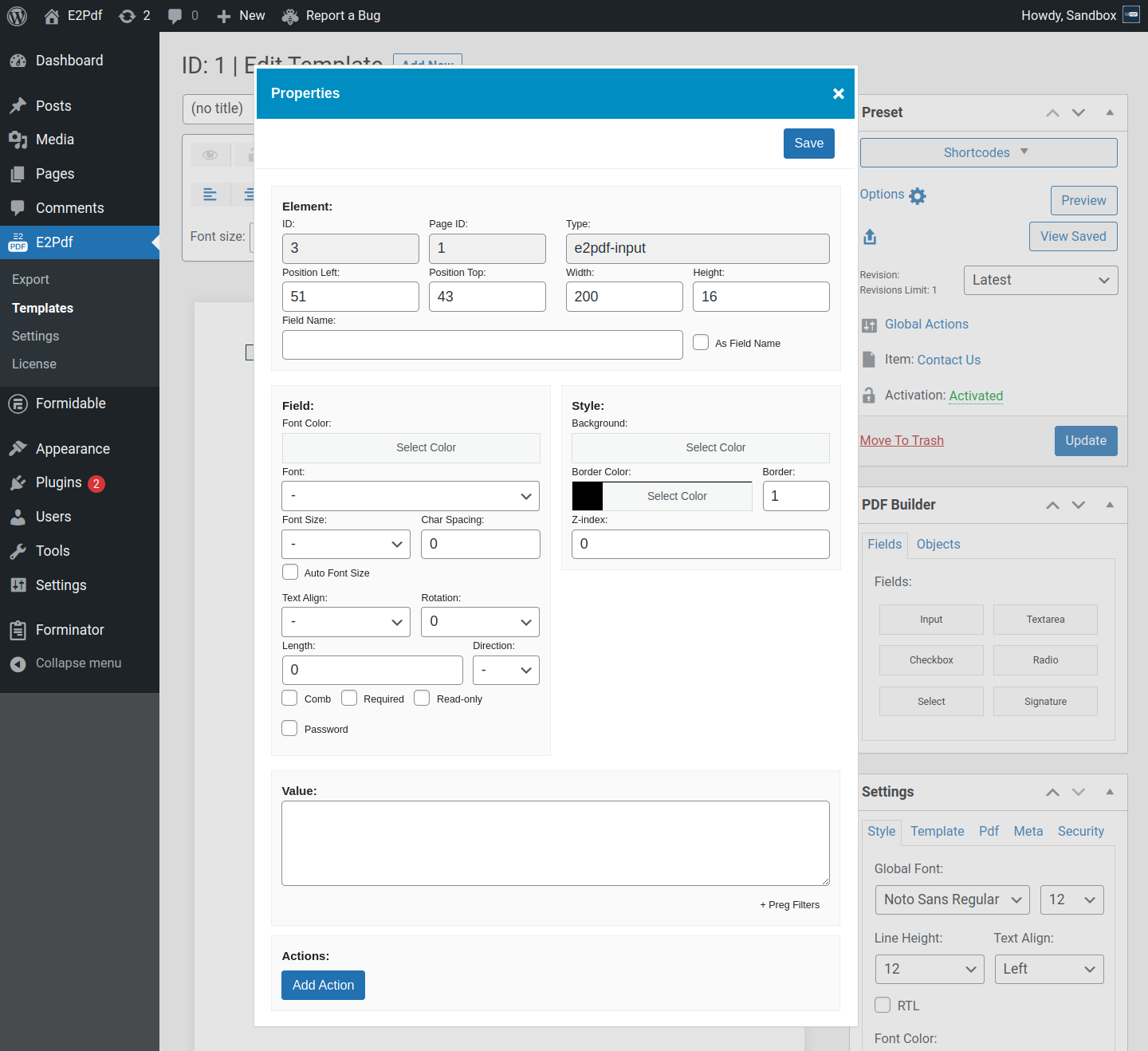
Element #
- ID - is the element id.
- Page ID - is the element page id.
- Type - is the element type.
- Position Left - is the left position of the element.
- Position Top - is the top position of the element.
- Width - is the width of the element.
- Height - is the height of the element.
-
Field Name - is a custom field name that will be used inside the PDF.
As Field Name - forces the use of a custom Field Name. If not checked, the auto-generated field name will be used.
Field #
- Font Color - is the font color of the text.
- Font - is the font of the text. If not set, the global E2Pdf Template font will be used.
- Font Size - is the font size of the text. If not set, the global E2Pdf Template font size will be used.
- Char Spacing - is the character spacing of the text. It is not supported in complex languages like Bengali, Hindi, Urdu, etc.
- Auto Font Size - is the Auto Font Size that decreases the font size if the text does not fit inside the field. If the text fits inside the field, the default font size will be used.
- Text Align - is the alignment of the text.
- Rotation - is the text rotation. Only the text is rotated, not the element, so the element width and height must be set as you need to see it inside the PDF.
- Length - is the maximum text length. All overflowing characters will be removed.
- Direction - is the text direction that overwrites the global E2Pdf Template setting. See when RTL must be checked: Read More ››
-
Comb - is a setting that splits the field into evenly spaced character boxes (comb).
Length - is required to control how many character boxes are generated. - Required - sets the required attribute on the PDF field.
- Read-only - sets the field to be read-only if the PDF Flatten option is set to No.
- Password - converts the field to a password field. All characters will be replaced with *.
Style #
- Background - is the background of the field.
- Border Color - is the border color of the field.
- Border - is the border width of the field.
- Z-index - is the field render priority. Can be set to a negative value.
Value #
- Value - is the text value.
Actions #
- Add Action - adds actions and conditional logic to the field to show, hide and change properties. See how to use: Read More ››


